

RX Editor Selector Tool Mode
05/25/2026·SoundFlowMUZIUM
#Command#izotope rx#rx editor#soundflow#pro tools#selector tools#shortcut macro#javascript script#audio editing
Also available in:
English·한국어
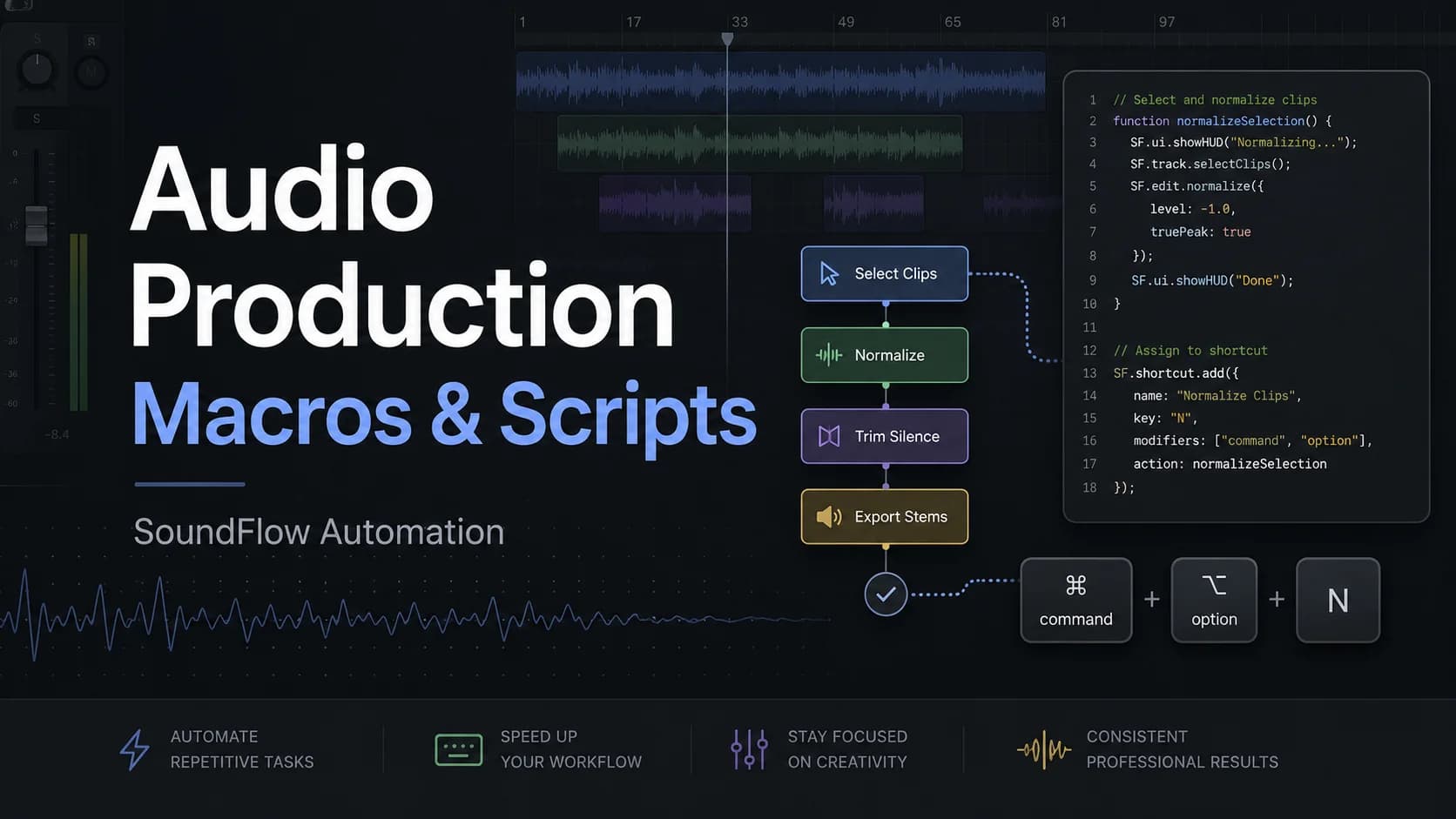
RX Editor Selector tool mode
In Pro Tools, you can cycle through four mouse cursor modes using the [~] shortcut key.
However, iZotope RX Editor, despite having multiple cursor modes, assigns independent shortcut keys to each, making smooth transitions difficult.
To create a unified working environment, I made a script that lets you cycle through multiple modes with a single key by assigning either a custom shortcut or an existing shortcut to these mouse cursor modes (called Selector Tools in RX).
If you assign this script to the same shortcut key in SoundFlow, you can switch mouse cursor modes (Selector Tools) in the same way as in Pro Tools.
Prerequisites
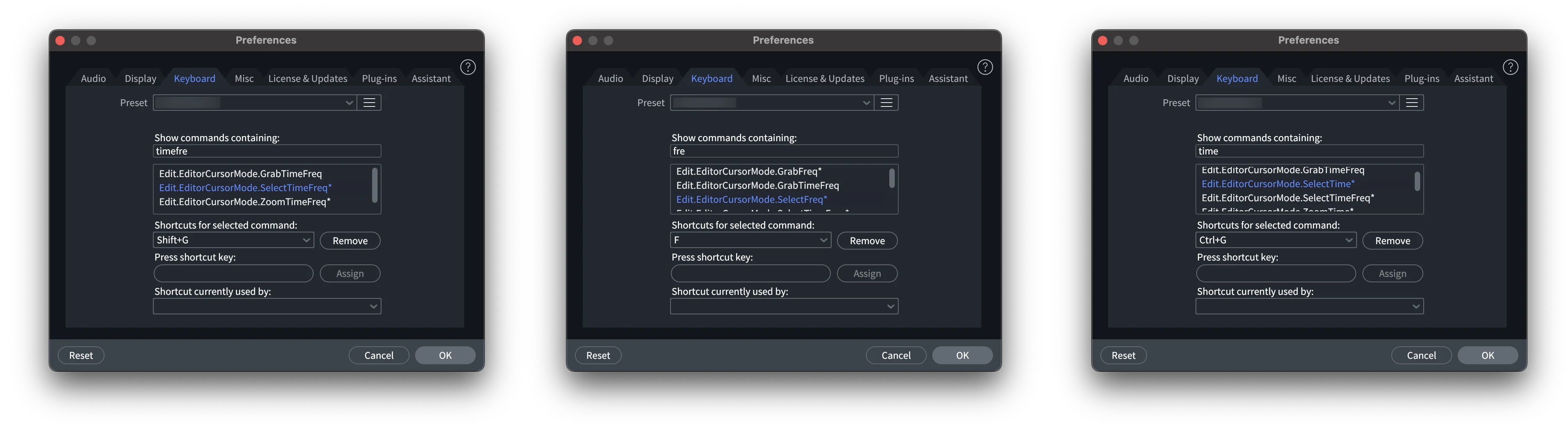
You first need to configure the shortcut keys in iZotope RX Editor.
The developers of iZotope RX Editor have no respect for shortcut keys or notation conventions, so they've made the shortcut system extremely inconvenient.
Just select the desired Selector Tools or any other tools you want and set the shortcut keys.
Script (SoundFlow, JS)
/*
 * MUZIUM SoundFlow Script
 * Website: https://muzium.kr
 * Contact: public@muzium.kr
 * Created by EMU with Codex and Claude.
 * You are free to edit, duplicate, and distribute this script.
 */

// Initialize the saved tool state the first time this script runs.
if (typeof globalState.muziumRxSelectToolCycleIndex === "undefined") {
    globalState.muziumRxSelectToolCycleIndex = 0;
}

// Cycle through the three RX tool shortcuts: 0 -> 1 -> 2 -> 0.
globalState.muziumRxSelectToolCycleIndex = (globalState.muziumRxSelectToolCycleIndex + 1) % 3;

// Send the shortcut that matches the current tool state.
if (globalState.muziumRxSelectToolCycleIndex === 0) {
    sf.keyboard.press({
        keys: "control+g",
    });
} else if (globalState.muziumRxSelectToolCycleIndex === 1) {
    sf.keyboard.press({
        keys: "shift+g",
    });
} else if (globalState.muziumRxSelectToolCycleIndex === 2) {
    sf.keyboard.press({
        keys: "f",
    });
}
Currently three cursor modes are included, but depending on user preference, you can add more shortcuts or states to cycle through as many keys as you want.
Refer to the comments in the code below.
/*
 * MUZIUM SoundFlow Script
 * Website: https://muzium.kr
 * Contact: public@muzium.kr
 * Created by EMU with Codex and Claude.
 * You are free to edit, duplicate, and distribute this script.
 */

// Initialize the saved tool state the first time this script runs.
// This value stores the current position in the shortcut cycle.
// It starts at 0 the first time the script runs, then SoundFlow keeps reusing
// the last saved position on later runs.
if (typeof globalState.muziumRxSelectToolCycleIndex === "undefined") {
    globalState.muziumRxSelectToolCycleIndex = 0;
}

// Cycle through the three RX tool shortcuts: 0 -> 1 -> 2 -> 0.
// To add more shortcuts to the cycle, change the number after "%" to the total
// number of shortcuts. For example, for four shortcuts, change "% 3" to "% 4",
// then add one more "else if" block below for cycle index 3.
globalState.muziumRxSelectToolCycleIndex = (globalState.muziumRxSelectToolCycleIndex + 1) % 3;

// Send the shortcut that matches the current tool state.
// To change the shortcuts without changing the cycle length, edit only the
// "keys" values inside sf.keyboard.press().
// Example: replace "control+g" with "command+1" or any other SoundFlow key combo.
if (globalState.muziumRxSelectToolCycleIndex === 0) {
    sf.keyboard.press({
        // Shortcut sent on cycle position 0.
        keys: "control+g",
    });
} else if (globalState.muziumRxSelectToolCycleIndex === 1) {
    sf.keyboard.press({
        // Shortcut sent on cycle position 1.
        keys: "shift+g",
    });
} else if (globalState.muziumRxSelectToolCycleIndex === 2) {
    sf.keyboard.press({
        // Shortcut sent on cycle position 2.
        keys: "f",
    });
}

// Example for adding a fourth shortcut:
// 1. Change "% 3" above to "% 4".
// 2. Add another branch to the if/else chain above:
//
// } else if (globalState.muziumRxSelectToolCycleIndex === 3) {
//     sf.keyboard.press({
//         keys: "your+shortcut",
//     });
// }
Tested Environment
Tested Environment
| OS | macOS 15.7.5 |
|---|
Tool Versions
| Soundflow | v6.2.0 |
|---|---|
| App | iZotope RX 11 Audio Editor |