

Why Open-World Game Music Never Gets Old — The Secret of Adaptive Music
2026.06.04·Study·21 min readMUZIUM
Also available in:
English···

The Structural Reason Why the BGM Doesn't Get Old Even After 100 Hours of Play
Try looping your favorite movie OST for just 30 minutes, and no matter how great the song is, it will soon start to grate on your ears. Yet people who have played "The Legend of Zelda: Breath of the Wild" for 100 hours, or those who have wandered the wilderness for days in "Red Dead Redemption 2," rarely say "the music got old." This phenomenon — where a soundtrack still sounds fresh after dozens of hours with the same game running — is something you've probably found a bit strange at some point.
Many people misunderstand this as simply "having lots of BGM files." Increasing the number of tracks does help to some extent. However, sheer track count alone cannot sustain over 100 hours of playtime. In reality, the number of tracks, the proportion of silence, the quality of ambient sound, and the mixing design all interlock to reduce repetition fatigue. The most decisive axis among these is that each individual track itself reshapes in real time according to the player's actions and environment. This is called Adaptive Music.
The core of adaptive music lies not in the quantity of tracks but in the structure connected to variables. This article walks through how that structure works, the tools used in the field, and even scaled-down strategies applicable at the indie level, all in one continuous flow.
What's the Difference Between Adaptive Music and Regular BGM?
The Listening Experience Gap Between Static Loops and Dynamic Music
Recall the music structure of early RPGs. In "Dragon Quest I" or the early "Final Fantasy" titles, a single predetermined track plays from start to finish for each field, town, battle, and dungeon. When the track ends, it repeats from the beginning. This is called a Static Loop. It's a structure where the composer's output is reproduced 1:1 inside the game.
The advantages of this approach are clear. The composer's intent isn't compromised, and implementation costs are low. In the 8-bit and 16-bit era, memory and sound chipsets were limited, making static loops the most realistic and widely used approach. There were exceptions, however. The drum channel added when riding Yoshi in "Super Mario World," or the iMUSE system used in PC package games, were pioneering attempts at dynamic music within hardware constraints.
Game music of that era was designed with compressed melody lines so that each track itself was short and resilient to repetition. The problem emerges as playtime lengthens and the variety of situations occurring within a single screen grows. Even within the same town, a peaceful stroll and the moment right after a thief appears carry different emotional weights, but a static loop has no way to express this difference. The moment the music falls out of sync with the situation, immersion breaks. Dynamic music takes the approach of varying the density of music even within the same town to reduce this disconnect.
💡 Practical Tip: First, count how many sections in your own game have "the same BGM playing while the events on screen are completely different." That number is the size of the potential gain you can achieve with adaptive music.
The Core of the Concept of Interactive Sound
Adaptive music is one branch of the broader concept of Interactive Sound. Interactive sound refers to the entire system in which audio responds in real time to player input, game state variables, and environmental conditions. Footstep sounds changing according to floor material, or ambient sounds gradually thickening when it rains — these all belong to the same family.
Applying this concept to music makes a single track "a function of variables." For example, given the variable of distance to an enemy, the volume of a percussion layer is pulled up from 0 to 1 as the distance shrinks. The track itself is pre-composed by the composer, but the actual playback result varies according to the variable values at that moment. As a result, even hearing the same measure twice, the two listens will sound subtly different.
This perspective fundamentally changes the composer's workflow. They no longer deliver "a completed track." Instead, they deliver a bundle of variable-ready parts. Melody stems, bass stems, drum stems, and pad stems for mood transitions are created separately, along with specifications for how each stem should respond when which variables change.
Why It Matters Especially in the Open-World Genre
Open-world games have longer average playtimes than other genres. AAA open-world titles often run 30–60 hours for the main story alone, exceeding 100 hours when side content is included. This means the exposure time of the same music asset becomes overwhelmingly long. Sustaining this length with static loops alone is difficult.
Another reason is unpredictability of action. Linear action games let designers precisely control the moment when "an enemy appears as you turn this corner." This makes it possible to predetermine music timing like in a cinematic. In an open world, by contrast, the player decides whether to break an enemy camp by frontal assault, sniping from afar, or simply going around. For the music not to feel awkward in any scenario, it must adapt to player choices after the fact.
The third reason is spatial continuity. Open worlds prize minimizing loading sections. If the music cuts abruptly and a different track starts every time the region changes, that continuity breaks. Adaptive music smooths these seams by subtly transforming the same track. A background transition that leaves the player having entered a new region without realizing it — that's the mark of good design.
Layering, Branching, Stingers — How Do You Make a Single Track Come Alive?
Vertical Remixing: Turning Instruments On and Off Over the Same Track
Vertical Remixing, or Layering, is the most frequently used technique. The composer creates multiple stems separated at the same key, same BPM, and same measure length. Things like bass stems, melody stems, percussion stems, and ambient pad stems. The game plays these stems simultaneously, but adjusts the volume of each stem between 0 and 1 according to the situation.
The field music in "The Legend of Zelda: Breath of the Wild" is frequently cited as a representative example of this technique. When riding a horse peacefully across the plains, gentle piano motifs flow intermittently. Then, when a dangerous situation or enemy encounter occurs, the density of percussion and strings rises on top of the same track, ramping up the tension. Entering combat, a separate combat cue joins in, completely transforming the impression of the track. Throughout, the underlying environmental musical foundation maintains the same flow.
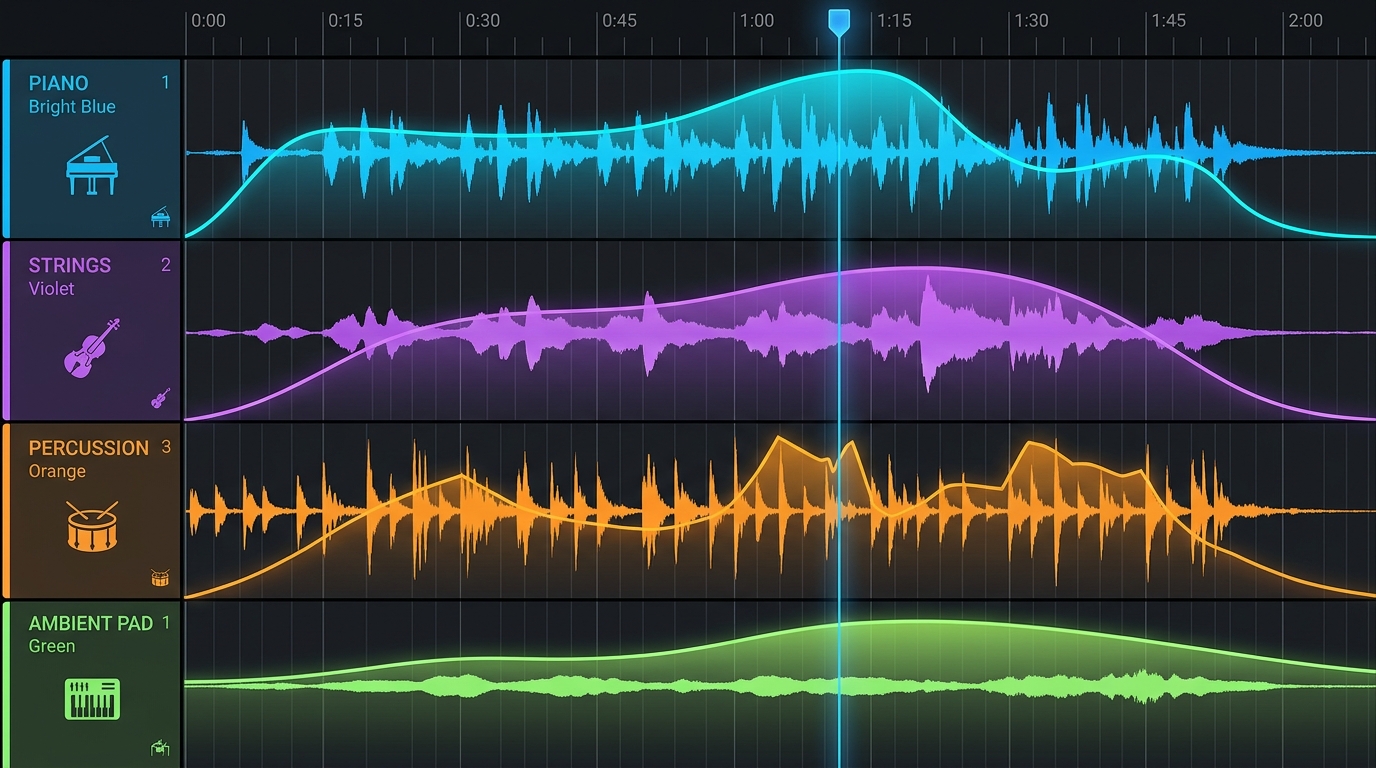
Layering's strength is that transitions are seamless. Rather than switching to a new track, it's a method of painting more color over the same track, so the player feels the music has "deepened" rather than "changed." The downside is that at the composition stage, all stems must be harmonically arranged so that they don't sound awkward even when all sound simultaneously. This is one step trickier than ordinary song composition.
A common mistake is frequency collision between layers. If the bass stem and pad stem overlap in similar low-frequency ranges, the sound becomes muddy when all layers are on. The solution is to predefine which frequency band each stem occupies, then clean up the collision regions with EQ during the mixing stage.
💡 Practical Tip: If you're attempting layered composition for the first time, first complete a full mix of "the maximum intensity version where all layers of this track play simultaneously." Using that as the reference point and removing layers in reverse is the safest workflow for reducing harmonic collisions.
Horizontal Re-sequencing: Switching to a Different Track at the Measure Boundary
Horizontal Re-sequencing, or Branching, is a method of branching the track along the time axis. The track is divided into multiple sections, and when the game situation changes, playback jumps to a different section at the point where the currently playing measure ends. The crucial condition here is "the point where the measure ends." Transitions must happen on musical beats to avoid sounding awkward to the listener.
The "Halo" series is frequently cited as using this technique. When combat begins from a calm exploration track, the game briefly waits until the next measure or beat boundary, then branches to an intense combat track. From the player's perspective, it feels like the music intensified the moment the enemy was spotted, but in reality there's a wait — sometimes almost instant, sometimes up to a full measure — depending on the track's BPM and time signature. That short delay actually creates a natural musical breath.
Branching is advantageous when the impression of the track itself needs to change significantly. It suits changes that layering can't handle, like switching from a peaceful major-key track to a minor-key combat track, or changing the time signature itself. The downside is that if branching points aren't properly designed, transitions feel slow. If combat has started but you have to wait four beats for the music to change, the excitement deflates.
To complement this drawback, branching points can be set densely at the beat level rather than the measure level. Or it's a common pattern to combine stingers (discussed later) so that immediate sonic impact is provided separately during the branch waiting period. In the Before state (branching only), combat entry feels sluggish, but in the After state (branching + stingers combined), you get both immediacy and musical smoothness.
Stingers and Transition Cues: Highlighting Moments with Short Motifs
A Stinger is a short musical motif of about 1–5 seconds. It plays layered over the existing music at the moment a specific event occurs. It's mainly used for decisive events such as boss appearances, killing blows, quest completions, and item acquisitions. Without changing the entire track, it can directly signal to the listener that "this moment is special."
The reason stingers are effective is due to how cognition works. Human hearing binds short, strong musical stimuli to the meaning of events in memory. When you meet the same boss again and that appearance stinger plays again, the player instantly recalls the tension of the previous battle. This is a device similar to the Leitmotif in film and classical music, reinforcing memory and association. However, while a leitmotif is a thematic motive that recursively varies in connection with characters or ideas throughout an entire work, a stinger is a short auditory cue emphasizing a momentary event — their functional scopes differ.
A common mistake is using stingers too often. Attaching stingers even to trivial events numbs the listener, weakening the impact of truly important moments. Another mistake is when the stinger doesn't match the key of the currently playing track. Key collisions make the listener feel uneasy, even if they can't pinpoint exactly what's wrong. The solution is to produce multiple versions of stingers by key and build a system that plays the version matching the current track's key.
💡 Practical Tip: There's no fixed correct answer for stinger frequency. It's safest to place them only on key events at first, then check during repeat playtesting when auditory fatigue sets in and adjust the frequency. The appropriate frequency varies greatly with genre, event density, and stinger length.
The three techniques aren't mutually exclusive. Actual AAA games almost always operate all three simultaneously. The base track uses layering to adjust mood intensity, big situational shifts are handled with branching, and decisive events are stamped with stingers. When the three techniques interlock, music becomes a tool that sculpts the emotions of a scene in real time.
What Do FMOD and Wwise Enable for Composers?
FMOD Studio's Parameter and Event Structure
FMOD Studio is audio middleware developed by Firelight Technologies. Middleware refers to a tool that sits as an intermediate layer between the game engine and audio assets, connecting the two. Composers assemble audio assets inside FMOD, while in the game engine (Unity or Unreal), all that needs to be called is a simple command like "play this event."
FMOD's core structure consists of Events and Parameters. An event is a playback unit. Multiple tracks can be stacked within a single event, with audio clips placed on each track. A Parameter is a variable with a range between 0 and 1, or any arbitrary range. When this parameter's value changes, properties like track volume, pitch, filter, and playback position change together.
For example, you create a parameter called "intensity" and draw a curve so that as the value rises from 0 to 1, the volume of the percussion track rises accordingly. If you map "number of nearby enemies" in the game to intensity, the percussion automatically intensifies as enemies increase. The composer can design their own music response curves without looking at a single line of game code.
FMOD is often described as friendly to indie developers. The learning curve is relatively gentle, and a free license is provided for projects below a certain revenue threshold (the criteria are based on annual revenue under $200,000 and development budget under $600,000; it's safest to check the official site for the latest terms). The UI is also visually similar to a DAW (Digital Audio Workstation), making it intuitive for composers seeing it for the first time.
Audiokinetic Wwise's State, Switch, and RTPC
Wwise is another major middleware developed by Audiokinetic. It's frequently adopted in AAA projects and provides more granular control concepts. There are three core concepts.
State represents the overall mode of the game. States like "exploring," "in combat," or "in stealth" are selected mutually exclusively within a State Group. Different State Groups can be active simultaneously, allowing independent dimensions like "mood" and "weather" to be handled in parallel. Switch is an object-level branching condition. It's used when selecting one of several variants of the same type of sound, such as "whether the floor material the character is currently stepping on is grass or stone." RTPC (Real-Time Parameter Control) is a control method that maps game parameter values to audio properties like volume, filter, and pitch in real time.
It's easier to understand if you sketch a hypothetical scenario of how the three concepts work together in a single scene. While exploring a town (State: Exploration), when the character steps onto a stone floor (Switch: Stone), footsteps change to a stone texture, and as the number of nearby enemies increases (RTPC: ThreatLevel), the volume of background string stems gradually rises. Big mood transitions are handled with State, regional and material variants with Switch, and continuous variables like intensity with RTPC. The larger the project, the more complex the music logic becomes, and this three-layer separation makes a decisive difference in maintainability.
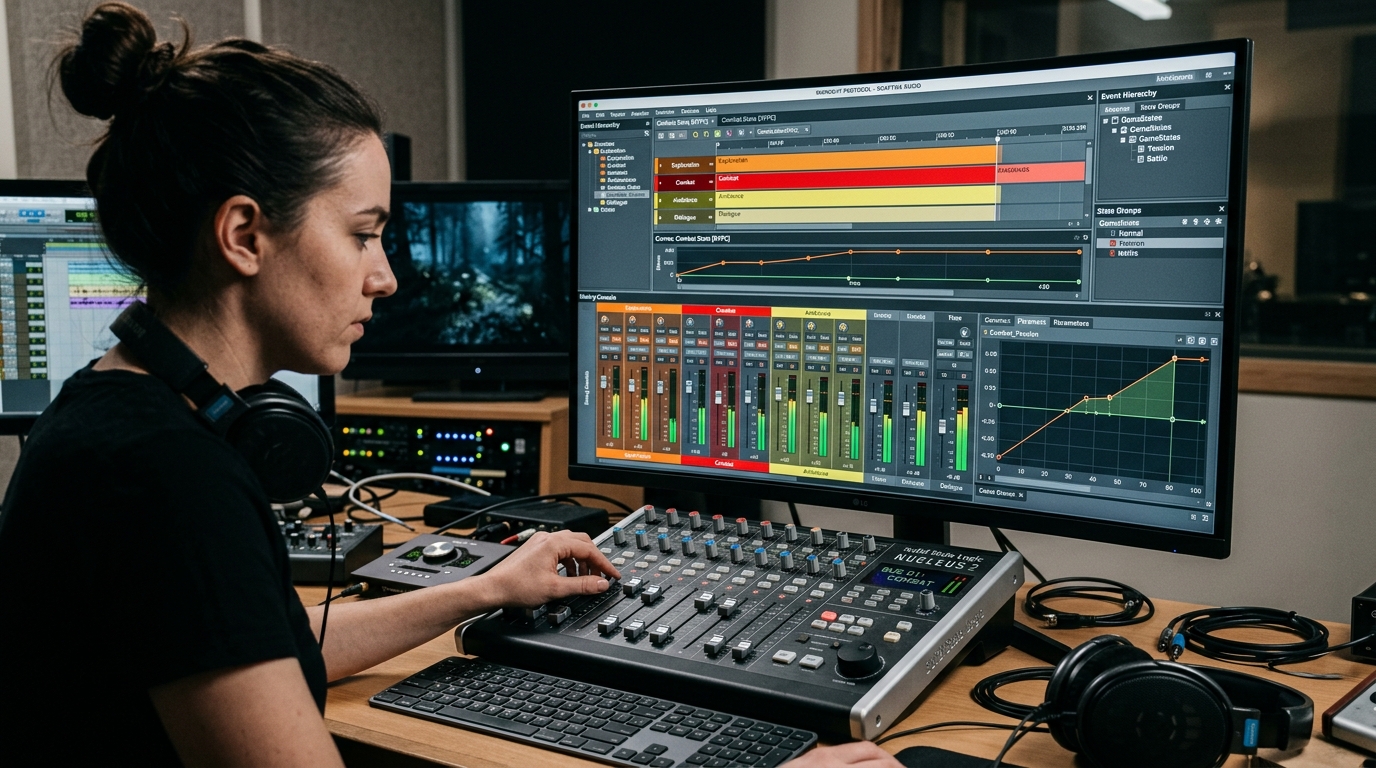
Wwise has a steeper learning curve. There are many concepts, and how the project structure is laid out greatly affects late-stage productivity. So in large studios, dedicated sound designers design the Wwise project architecture. The typical division of labor is that composers deliver assets based on agreed specs about which State and RTPC their tracks will be tied to.
The Collaboration Workflow Among Composer, Sound Designer, and Programmer
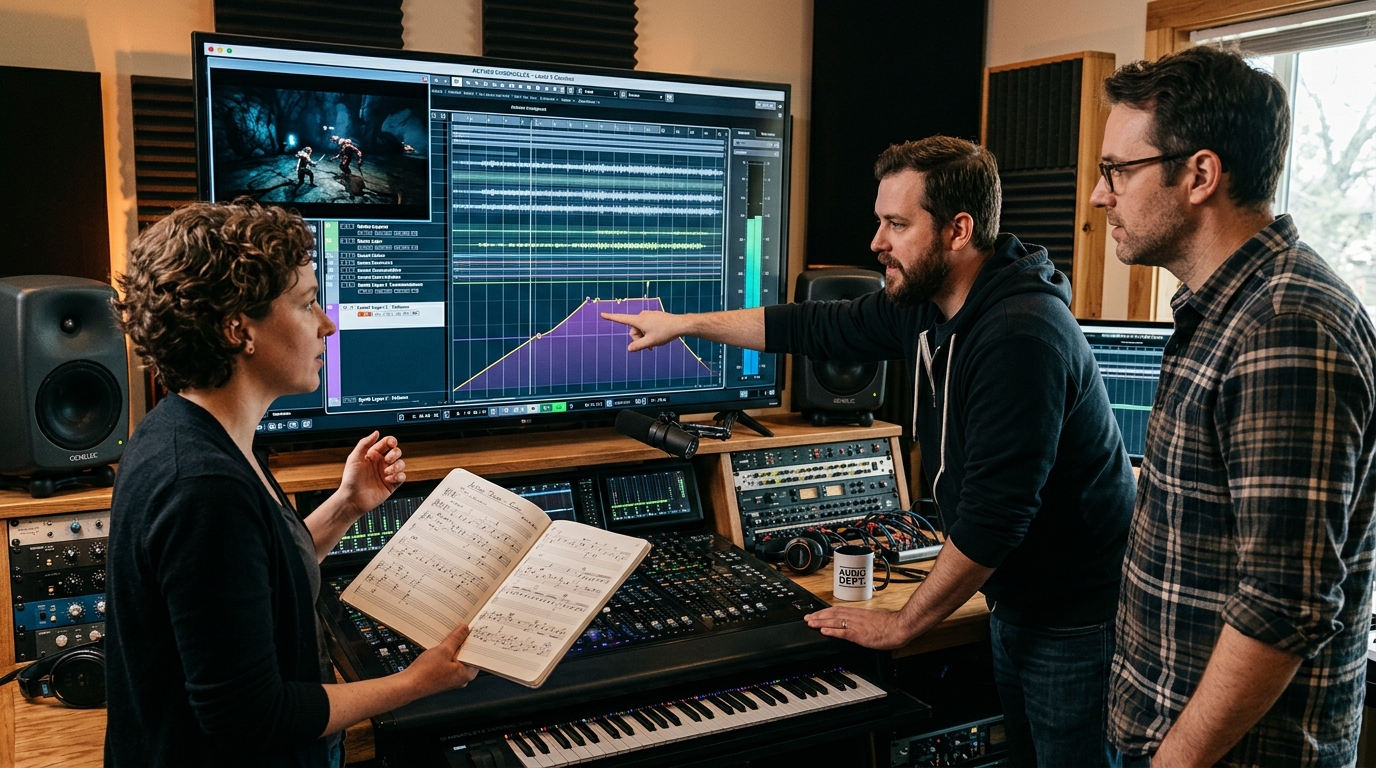
In practice, the collaboration among the three roles must run without interruption. Breaking it down step by step:
First, the composer creates the track in a DAW (Logic Pro, Cubase, Reaper, etc.). What differs from ordinary composition is that work proceeds with stem separation in mind from the start. Melody, bass, drums, pads, and effects are cleanly separated into their own tracks, and each stem is mixed so it carries its own role even when heard alone. In the game audio industry, the 24-bit WAV format has become the standard for uncompressed originals.
Next, the sound designer imports these stems into FMOD or Wwise. Based on specs agreed with the composer, they create events, define parameters, and draw curves for how which variable affects which track. At this stage, they can directly listen to the music response by moving sliders for prepared temporary parameter values. It's ideal for the composer to sit alongside, giving feedback like "this should rise more slowly here."
Finally, the programmer writes code on the game engine side that passes variable values to the middleware. Both Unity and Unreal Engine provide official integration plugins for FMOD and Wwise. The structure is that game states like enemy count, health, time of day, and weather are pushed to middleware parameters with a single line of API call. The programmer doesn't engage with the music itself; they just need to honor the promise that "whenever this variable changes, push the value to this parameter."
💡 Practical Tip: At the start of collaboration, create and share a "parameter specification sheet" as a one-page table. Writing down parameter name, value range, game-side meaning, and music-side response in one row each greatly reduces downstream communication costs. This table effectively serves as the shared contract among composer, designer, and programmer.
To summarize a comparison of the two middlewares: FMOD has a low entry barrier and is frequently used in indie and mid-sized projects, with a UI familiar to DAW users. Wwise has sophisticated conceptual separation and excels at maintaining large-scale projects. On the licensing side, Wwise was historically known for a 200-asset limit at the trial stage, but teams meeting the eligibility criteria of under $250,000 in budget can obtain a free indie license that allows commercial use without an asset count limit (it's safest to check the official terms current at the time of use). It's not a matter of which is absolutely superior, but more about choosing the right tool for the project scale and team composition.
💡 Practical Tip: If you're hesitating on tool choice, spend one week with FMOD and one week with Wwise building the same small demo (e.g., a single peace-to-combat transition scene). Implementing the same result with both tools clearly reveals which tool's mindset suits you.
How Do Masterpiece Open-World Games Preserve Immersion Through Music?
The Dynamic Scoring of Red Dead Redemption 2
Rockstar Games' "Red Dead Redemption 2" (2018) is often cited as one of the cases that pushed adaptive music design ambition the furthest. The composition team, led by lead composer Woody Jackson, separately recorded bundles of stems sharing the same key and same BPM for some mission music and cues. The design was built with compatibility in mind from the start, so various instrument combinations could be played simultaneously or interchangeably over the same measure.
The effect of this approach reveals itself when the player takes unexpected actions during a mission. Even if you suddenly fall off your horse mid-chase, or are spotted early during a stealth mission and the situation turns into a firefight, the music doesn't cut awkwardly but slides naturally into a different stem combination. The structure ensures musical coherence across possible branches rather than locking the composer's intent to a single scenario.
This approach dramatically increases workload. The music assets going into a single mission become several times that of an ordinary game. Without an AAA budget, it's hard to follow exactly. Still, there's a lesson. If you predefine the compatibility promise of "same key, same BPM, same measure length," then any stem combination playing simultaneously on top of that won't break the music. This principle can be applied regardless of scale.
The Minimalist Approach of The Legend of Zelda: Breath of the Wild
Adaptive music can go in the opposite direction too. "The Legend of Zelda: Breath of the Wild" (2017) chose to intentionally empty out rather than layer more music. When running across the vast plains, the music is reduced to just a few short piano motifs, with the long silences in between filled by the sounds of wind and grass.
This approach beautifully demonstrates that the essence of adaptive music isn't "filling more" but "filling and emptying according to the situation." Empty for exploration, suddenly fill with a full orchestra in combat. The contrast itself becomes the emotional curve. Underneath lies the insight that always-lavishly-filled music actually numbs the listener.

To actively use silence, the completeness of ambient sound design must rise in tandem. If weak ambient sound fills the space where music was removed, the game feels empty rather than quietly atmospheric. So minimalist music design is actually more difficult, and it's closer to a decision to shift the overall sound design budget toward non-music areas.
A common mistake is to follow only the conclusion "quiet is good" and indiscriminately cut BGM. If you remove music without ambient sound and sound design backing it up, the quietness turns into awkwardness. The solution is to design the ambient sounds heard during silent sections as carefully as the music. Details like footsteps, wind, the rustling of clothes, and animal sounds must fill the empty space left by music.
Scaled-Down Strategies Indie Developers Can Apply
The most frequent question indie developers ask after seeing AAA examples is "Is this possible with a limited budget?" To cut to the chase: yes, it is. Because the core of adaptive music is structure, not asset count. Here's a step-by-step approach for small studios.
The first step is to separate a single track into just 2–3 stems. Bass + drums as one stem, melody as one stem, mood pad as one stem. Normally, only the bass stem flows, and in tense situations, drums, melody, and pad are turned on in stages. This alone produces a substantial perceived change compared to a static loop.
The second step is using free middleware tiers. FMOD provides free licenses for indie projects below certain revenue and budget thresholds, and Wwise also operates a free indie license with no asset count limit for projects with a budget under $250,000. For solo indie developers or small teams, you can start without licensing cost concerns. License conditions can change over time, so it's safest to check the latest terms on the official site just before use.
The third step is getting big effects with just one or two stingers. Even just one well-made boss appearance stinger and one quest completion stinger can dramatically change the auditory impression of the game. Stingers are short, so composition and recording costs are low, yet they stick deeply in the listener's memory. In terms of cost-effectiveness, it's the area indie developers should tackle first.
💡 Practical Tip: When introducing adaptive music in an indie project, focus your first attempt on just "a single combat-entry scene." It's common to be overwhelmed by the workload when trying to apply it to the whole game. The safe sequence is to confirm that layering and stingers work smoothly in one scene, then expand to other scenes.
Let's also list common mistakes and solutions. First, getting greedy and creating too many layers. Beyond 4 layers, harmonic arrangement becomes difficult and listeners can hardly perceive the differences. Starting with 3 or fewer is safe. Second, transition noise. Suddenly changing a stem's volume from 0 to 1 causes click noise. If preventing clicks is the only goal, zero-crossing processing or short fades in the range of a few ms to several tens of ms are sufficient. Longer fades like 200–500ms are values used when you want a musically smooth crossfade rather than just eliminating clicks.
💡 Practical Tip: The best way to verify your game music is working is to put on headphones and play continuously for an hour. During that time, count how many times you consciously notice the music. If you notice it too often, that's a signal that transitions are excessive; if you never notice it once, that's a signal that the variation range is too small.
Adaptive Music — Check It with Your Ears in Your Next Play Session
The secret behind open-world game music not getting tiresome even after 100 hours of play was the structure of the tracks, not the quantity. Layering overlays instruments on the same track to adjust intensity, branching forks the track itself at measure boundaries, and stingers stamp decisive moments with short motifs.
Middleware like FMOD and Wwise serves as the bridge directly connecting the composer's musical intent with game variables. When this bridge is well laid, music doesn't trail the game — it breathes together with the game. A well-crafted adaptive score lets background transitions flow smoothly without being noticed, while designing intended moments like boss appearances and killing blows to be clearly recognized.
Tonight, fire up your favorite open-world game and put on headphones. Right before and after entering combat, the moment you enter a town, the moment you first face a boss — listen consciously to which instruments are added and which are removed. Once your ears start catching it, the countless design choices you've previously let slip by reveal themselves at last.
Game music isn't mere background decoration but an intricate interactive structure woven together by composers, sound designers, and programmers. I hope this article has unfolded a single sheet of the blueprint for that structure. Thank you for reading to the end.
References
- Pricing | Audiokinetic
- Free Wwise for Indie Developers - Full Platform Access with Unlimited Sounds. The Why and How. | Audiokinetic Blog
- Free Wwise Indie License | Empowering Indie Developers with Audio Excellence | Audiokinetic Blog
- FMOD Licensing
- Zero Crossing - WaveLab Elements - 13.0
- Game Audio Basics: Pops/Clicks and Fades | Game Audio Network Guild
- Algorithm to deal with Audio click/pop sounds - Stack Overflow
- FMOD - Working with Instruments