

Cubase Pro 13 Tutorial 1-1: Which Version of Cubase Should You Buy?
2024.04.07·Steinberg Cubase·6 min readMUZIUM
Also available in:
English···

Cubase Pro 13 Tutorial 1-1: "Cubase — Which Version Should You Buy?" (Including How to Buy It at a Discount and How to Install It)
Cubase is one of the most beloved software applications for music production and recording worldwide. This DAW (Digital Audio Workstation), developed by Steinberg, has earned high praise among producers and musicians for its powerful features and flexibility. However, there's a question that many beginners ask: "Cubase — which version should I buy?"
Cubase is broadly divided into three main versions: Cubase Pro, Cubase Artist, and Cubase Elements. Each version has different features and price points, so you can choose the one that best fits your needs and budget.
Comparing Cubase Versions
Compare Cubase Editions
On the official website linked above, you can see that in addition to the three versions — Pro, Artist, and Elements — there are also LE and AI versions. The LE and AI versions cannot be purchased separately; they are bundle versions included with certain products.
You can typically find them bundled with audio interface products from brands such as Yamaha, Steinberg, or Audient. As you can tell even from a quick glance at the comparison chart, between the two bundle versions, AI offers more features than LE.
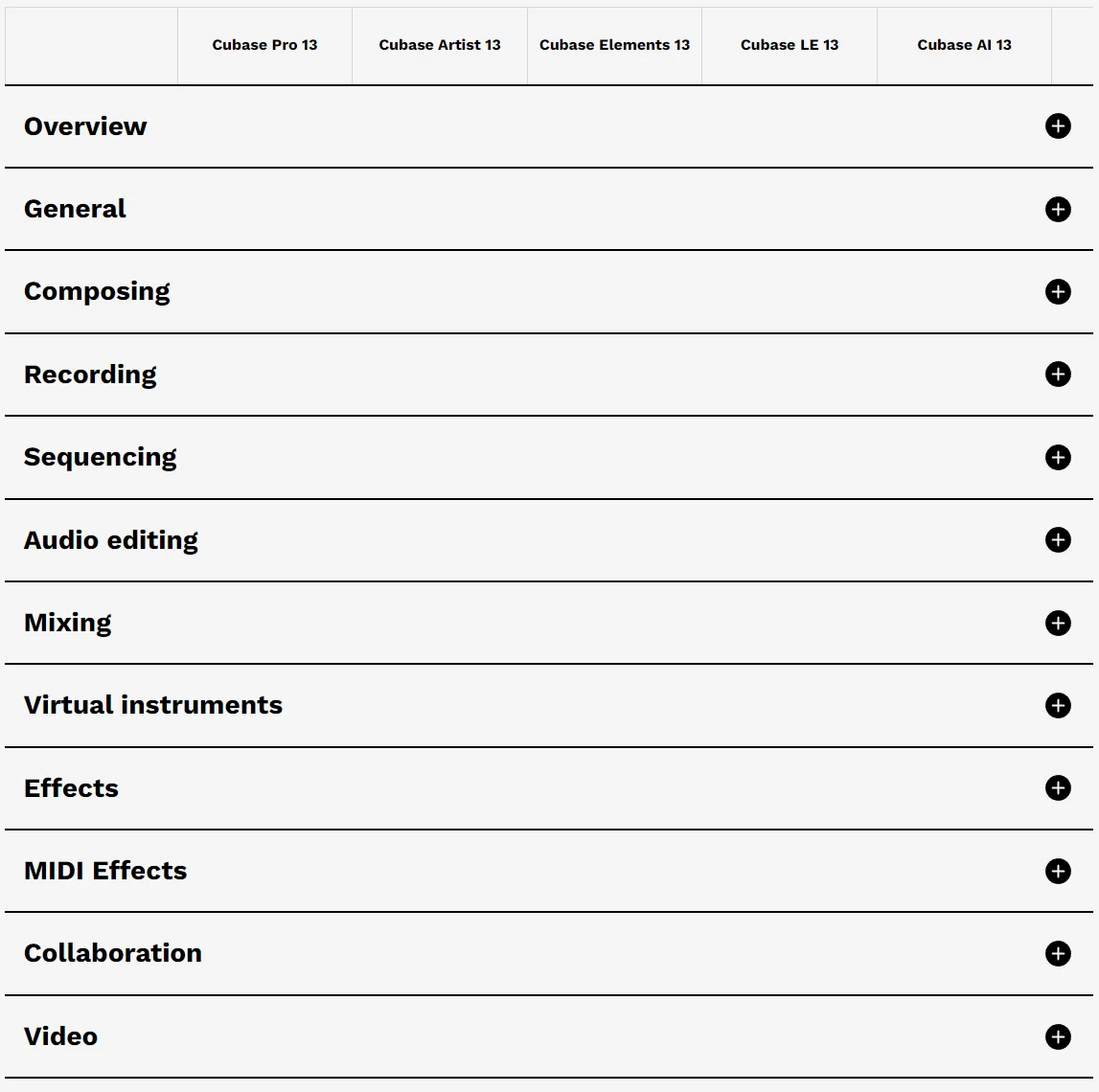
However, the comparison chart has far too many entries to go through one by one. For a quick decision, it's helpful to compare using the Overview section — though you may occasionally find that a feature you want is not available in Artist or Elements. So let me give you a brief recommendation on which version suits each use case 😀
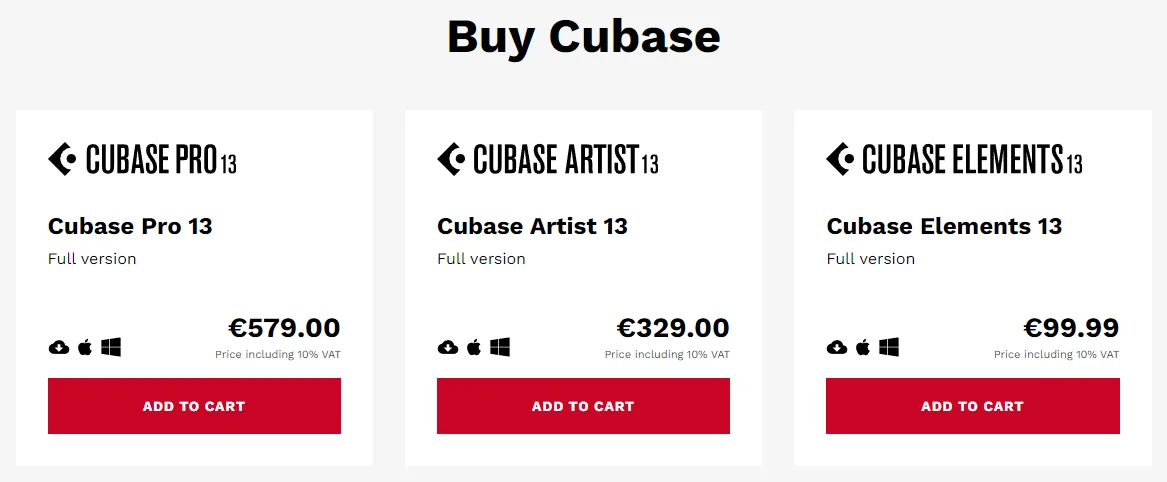
Cubase Pro
Cubase Artist
Cubase Elements
Ideal for those who need an all-in-one workflow covering orchestration (e.g., film scoring), MIDI composition and arrangement, and full audio processing (Recording, Editing, Mixing, Mastering), or who require Dolby Atmos support.
For those who focus on MIDI composition and arrangement with only basic audio processing needs.
For those who only need simple beat-making or vocal recording over a backing track (MR).
Cubase Trial
Honestly, the most worry-free option is to go ahead and purchase the Pro version. That said, the price difference is quite significant, so if cost is a concern, it's perfectly fine to start with a lower-tier version. There are separate upgrade pricing options for moving from a lower version to a higher one, and the total cost of upgrading later versus buying the higher version outright isn't dramatically different. So you can always start with a lower-tier version and upgrade when you find yourself limited by missing features. The best way to find the version that truly suits you is to use the trial version. You can try it free for 60 days, so taking advantage of the trial period to thoroughly test it before committing is a great approach.
That said, the bottom line is — just buying Pro will give you the most peace of mind 😅
Purchasing Cubase
Creating a Steinberg Account
Cubase Trial
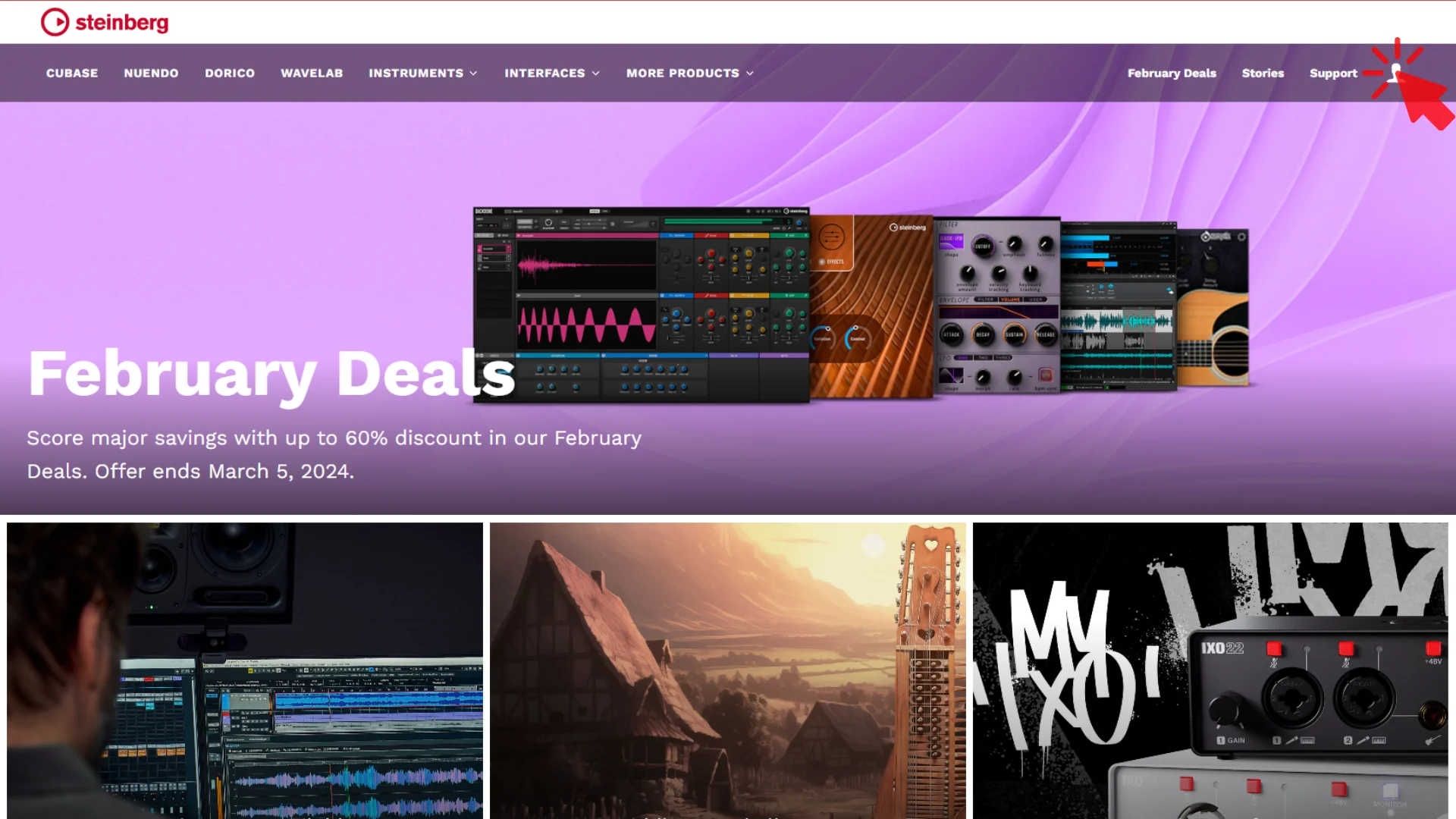
To purchase Cubase, you first need to create an account on the Steinberg website. Click the link above and then click the bust/person icon in the upper right corner.
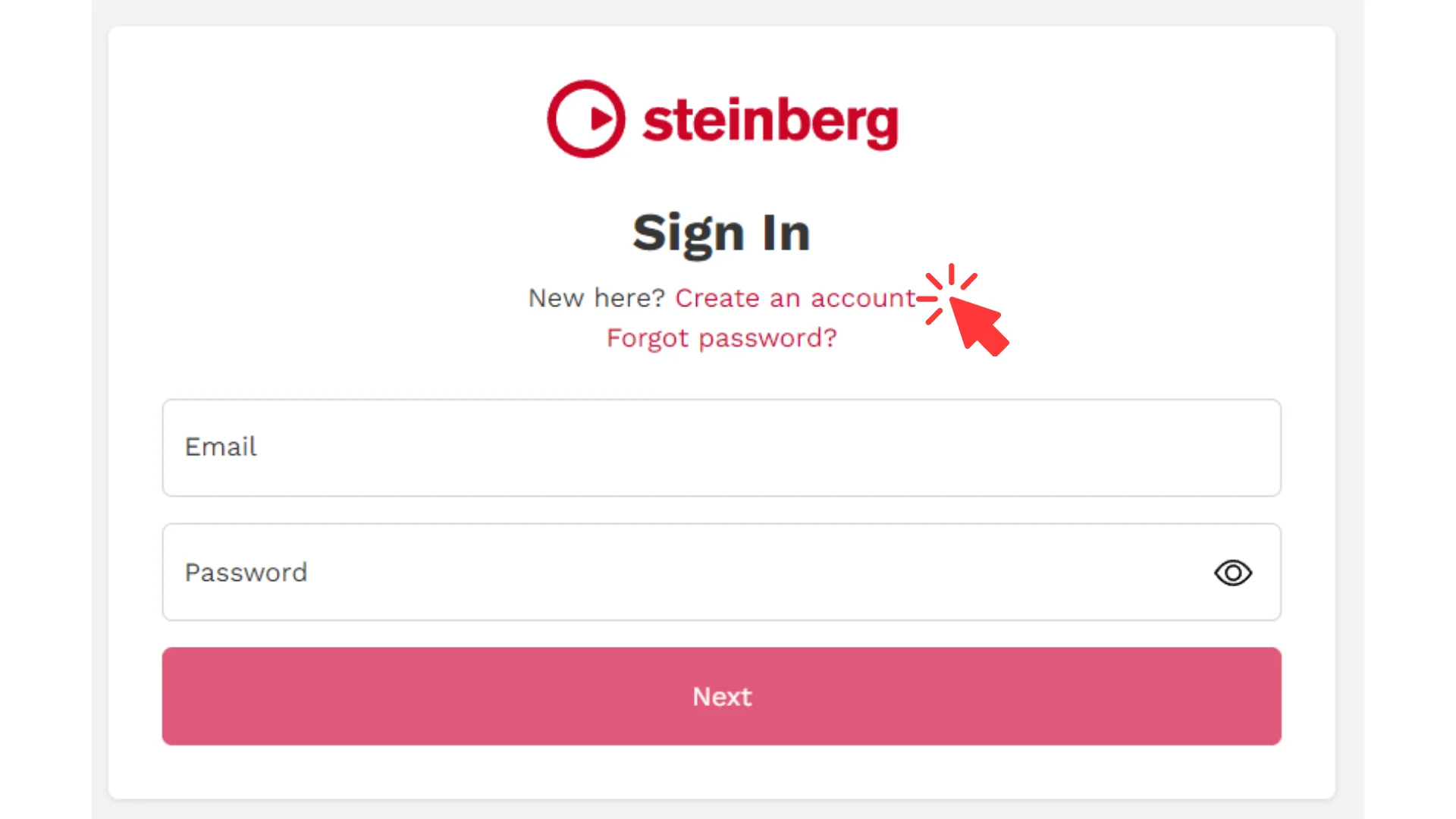
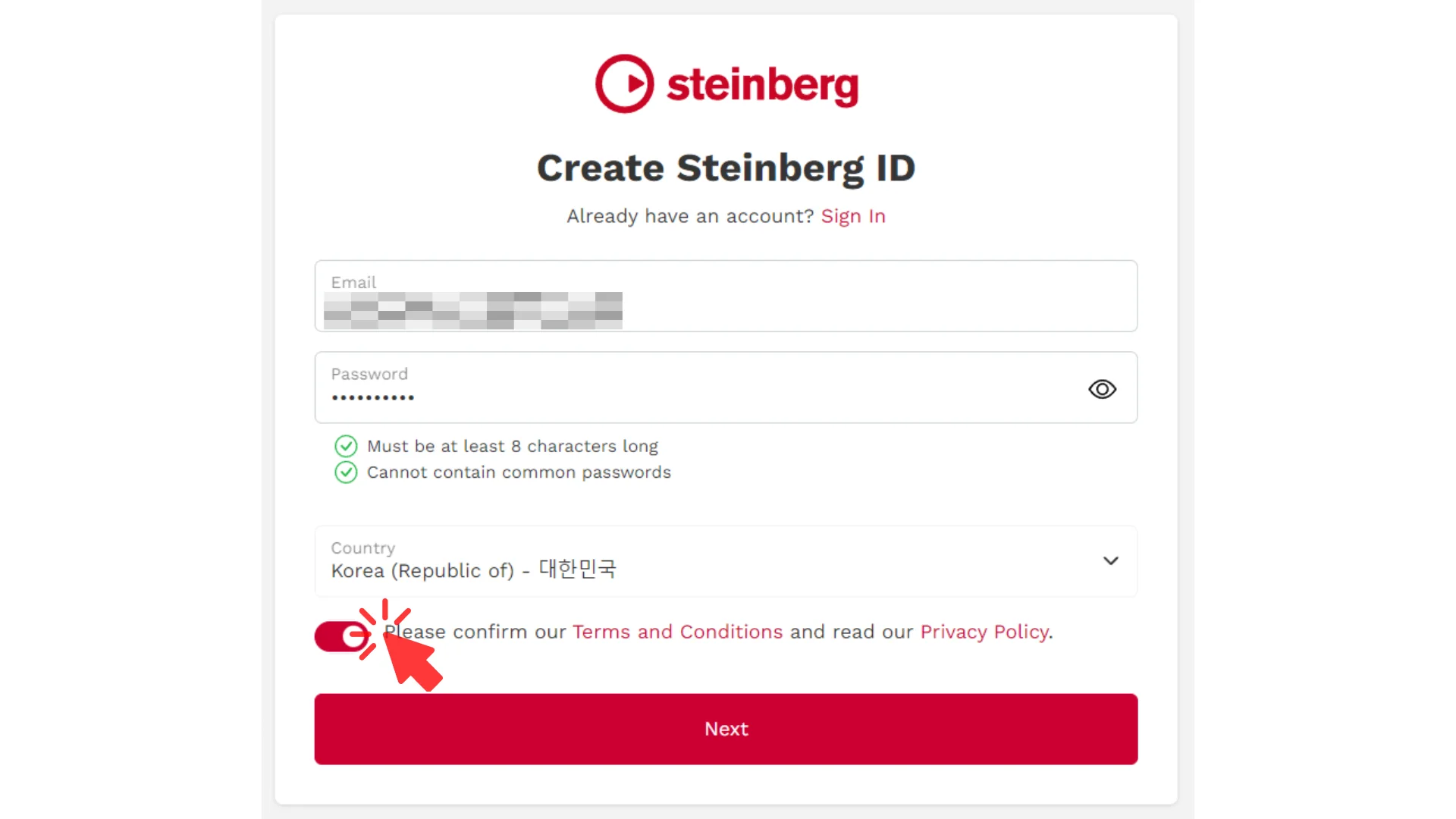
On the login screen, click Create an account. Then enter your actual email address and set a password.
The password must be at least 8 characters long and cannot consist of repeated characters. Your account can only be created once the password meets these requirements.
You will also need to check the terms of service agreement at the bottom before the Next button becomes active. Click the activated Next button to proceed.
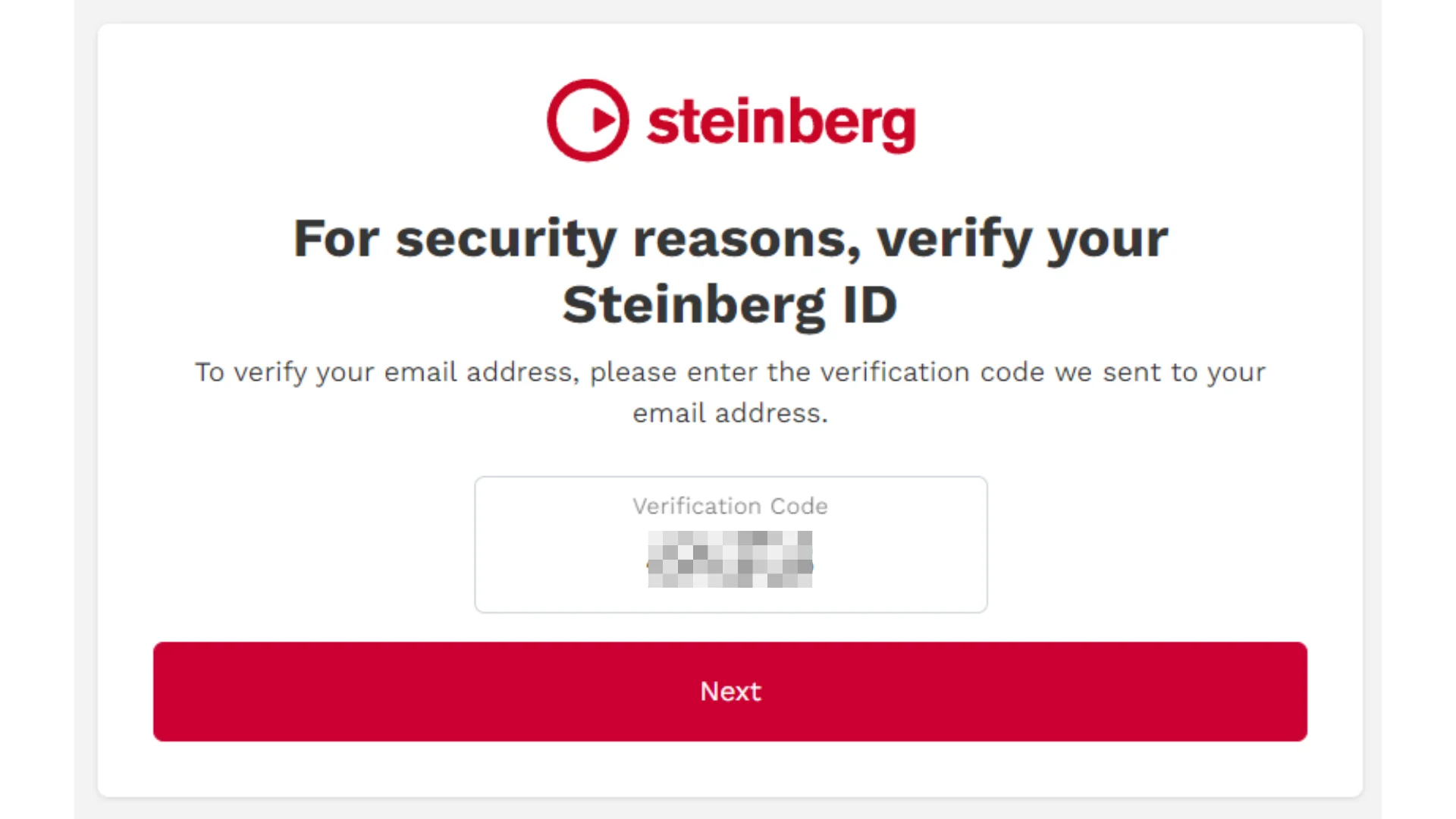
A verification code will be sent to the email address you entered. Enter the code and click Next.
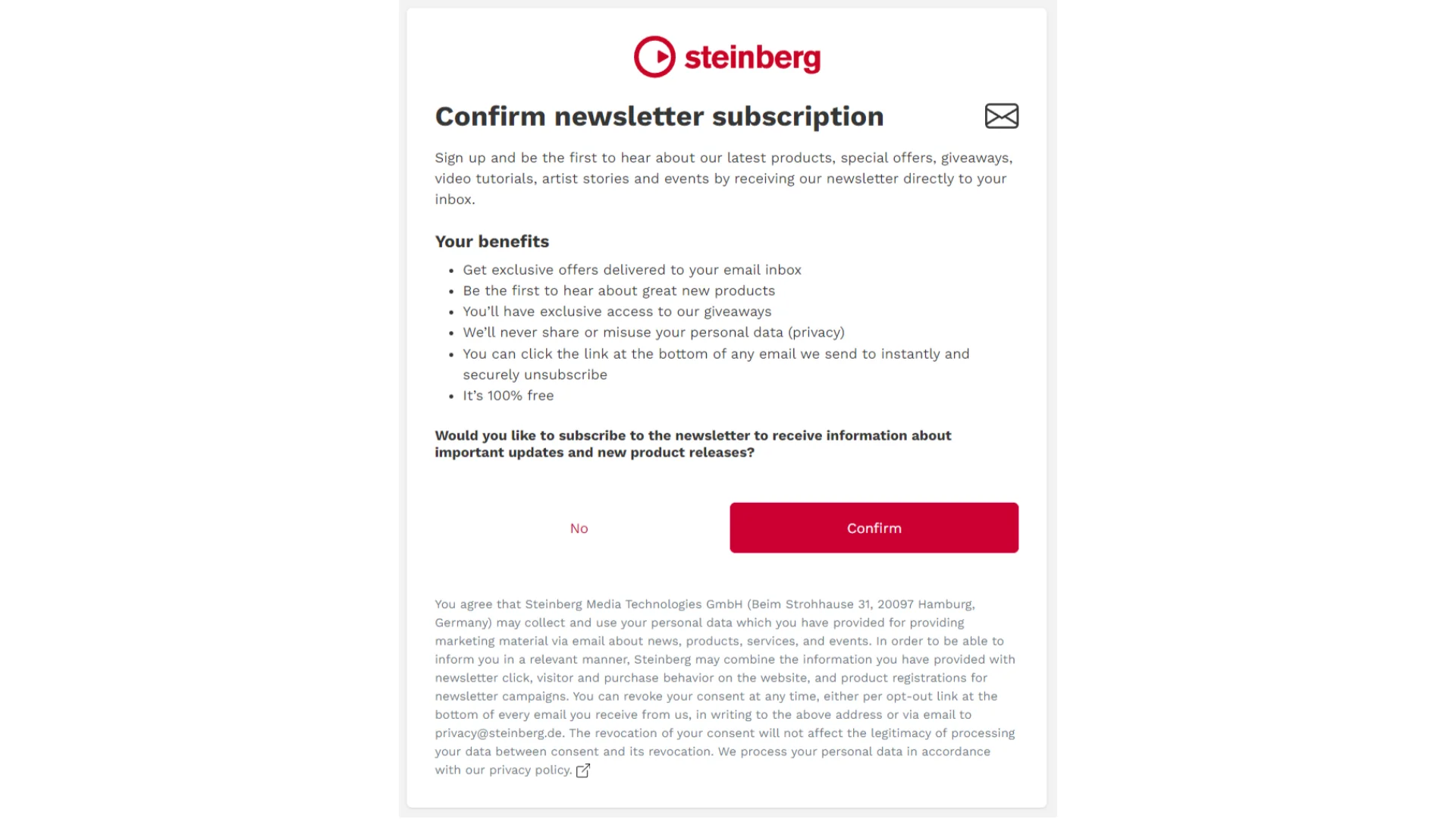
The next screen will ask whether you'd like to receive Steinberg's newsletter by email. Click Confirm if you'd like to receive updates from Steinberg, or No if you'd prefer not to — either choice is fine.
Once you've completed these steps, your account has been successfully created.
Purchasing Cubase
Purchasing Through a Domestic Distributor
Gear Lounge Cuo Shop
You can also purchase or upgrade through authorized distributors like the ones above. Considering exchange rates, buying through a domestic distributor tends to be slightly cheaper, so it's worth looking into.
However, please be aware that products sold at unrealistically low prices on marketplace stores are 100% illegal cracked copies.
Purchasing Through the Official Website
https://www.steinberg.net/cubase/ From the link above, you can click the Buy Cubase 13 button to directly purchase the version you want, or click the Download Trial Version button to download the free trial.
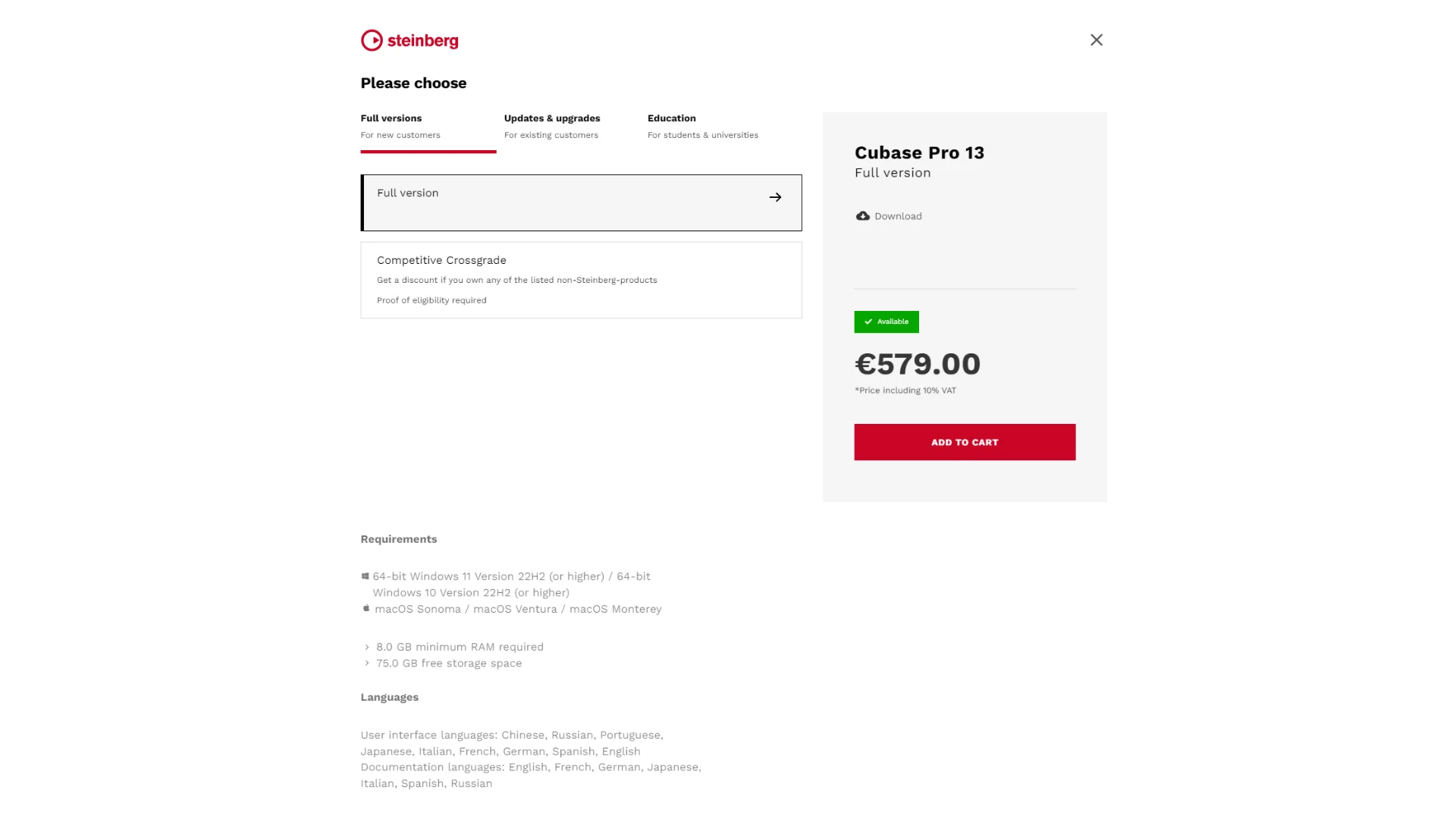
Clicking the Buy Cubase 13 button will show you three options: Full Versions, Updates & Upgrades, and Education.
Full Versions: Select this when purchasing as a new product.
Updates & Upgrades: If you already own a license for a lower-tier version (such as Artist 13, Elements 13, or Cubase Pro 12 or earlier), selecting this option lets you purchase at a significantly reduced price.
Education: If you verify your student status, you can purchase at approximately 40% off.
Once your purchase is complete, a downloadable link or a Download Access Code will be sent to your email.
https://account.steinberg.net/products
If a Download Access Code was sent to you, go to the link above, click Redeem Download Access Code, and enter the code exactly as provided.
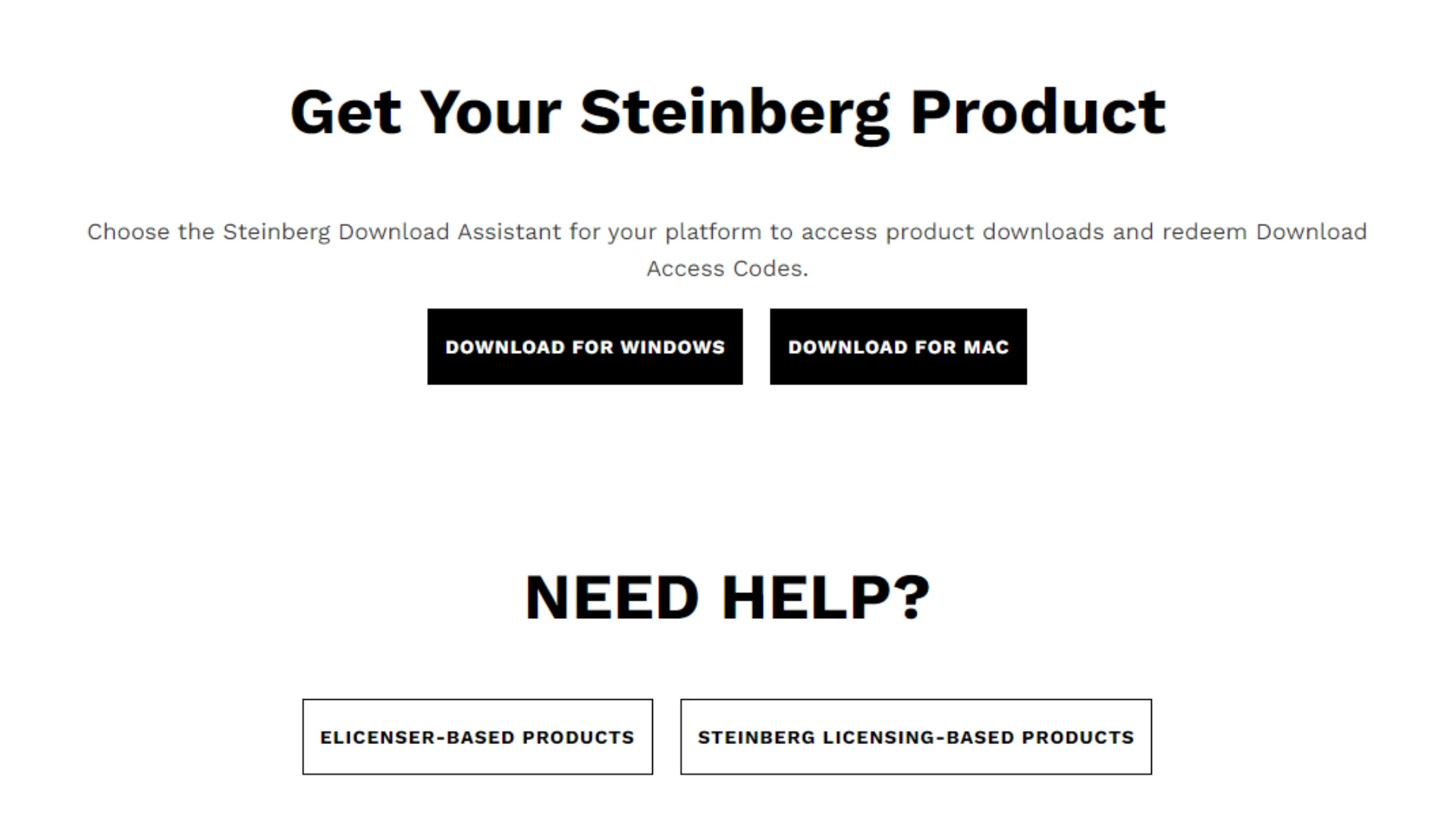
After accessing that link, you will be able to select between the Windows and Mac versions. Click the link that matches your operating system, and a program called Steinberg Download Assistant will be installed. Once installed, go ahead and launch it.
Installing Cubase
Steinberg Download Assistant
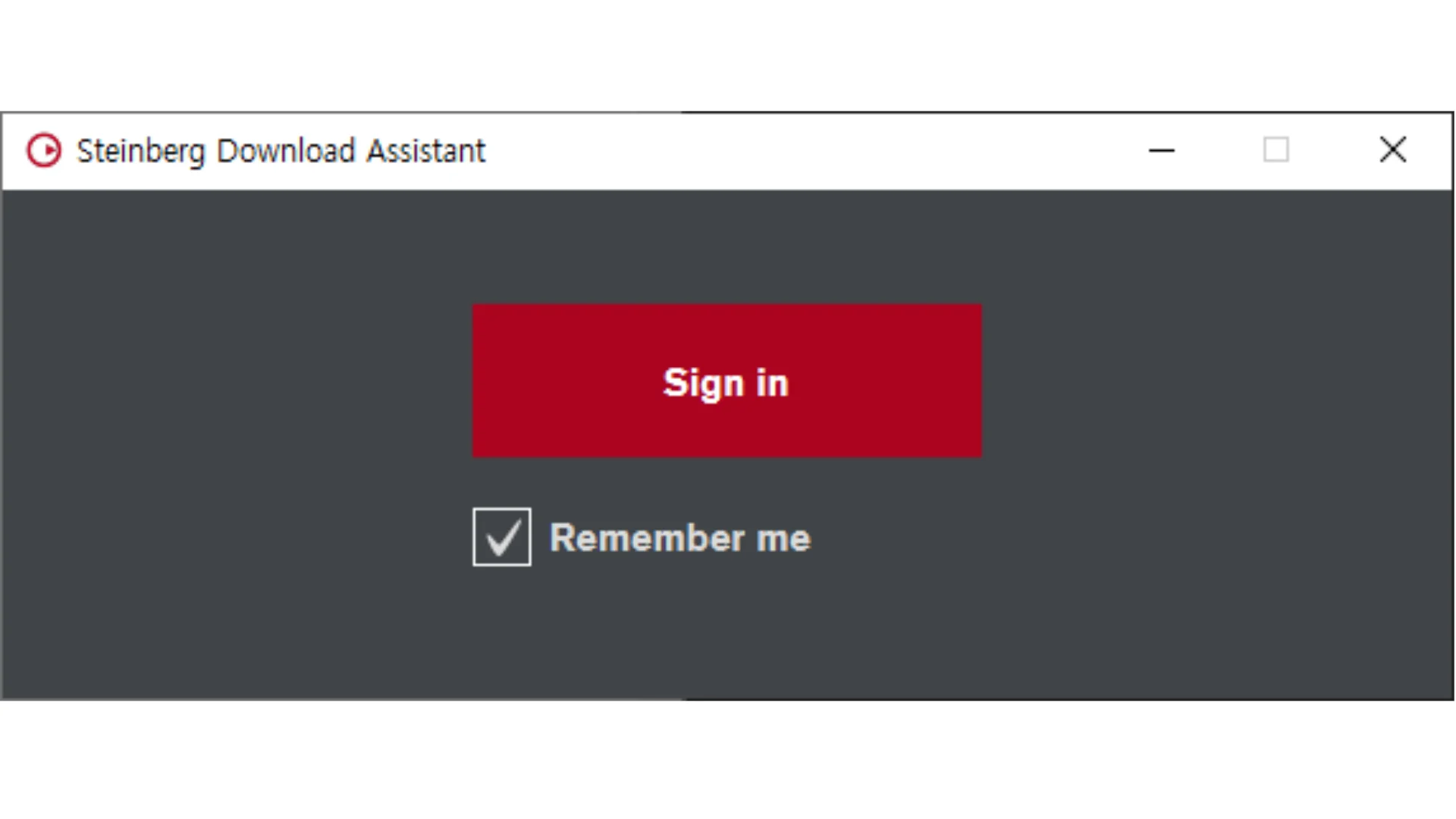
When you launch it for the first time, a login window will appear as shown. Click Sign In.
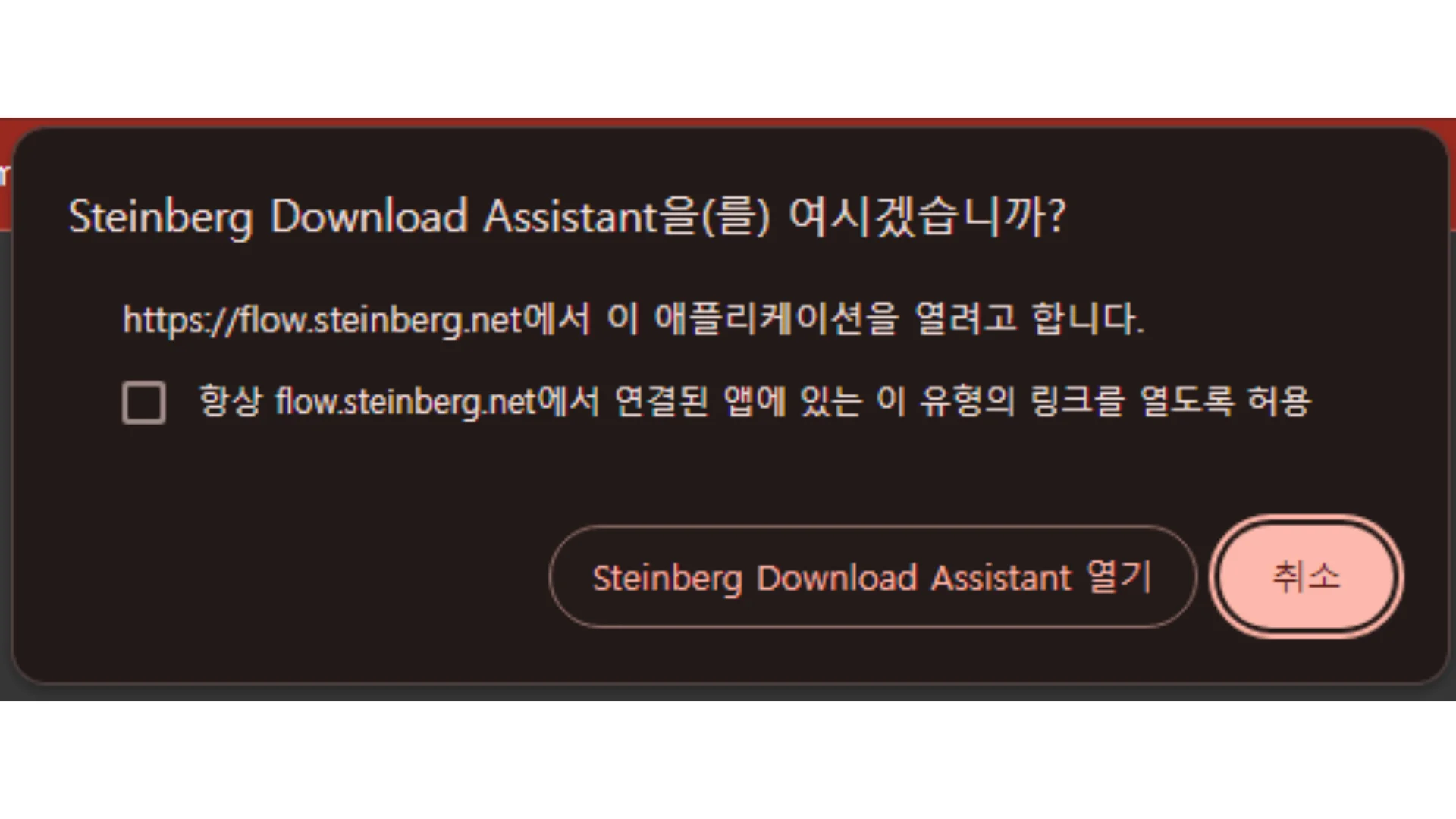
In Chrome, a message like the one shown above will appear. Click Open Steinberg Download Assistant.
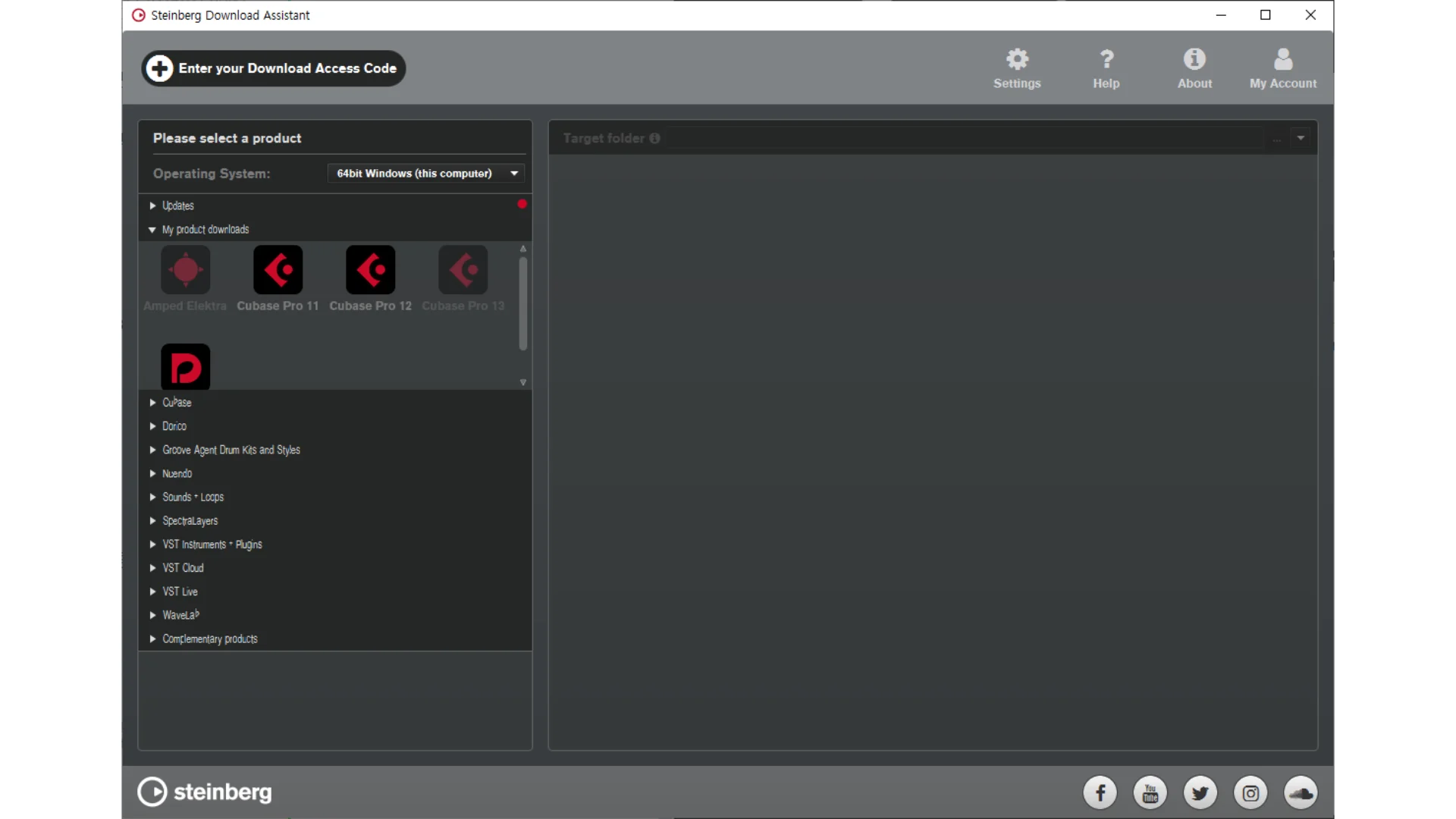
On the left side, open My Product Downloads and select Cubase Pro 13.
(In the image above, the trial version of 13 is currently active, which is why the color is displayed differently.)
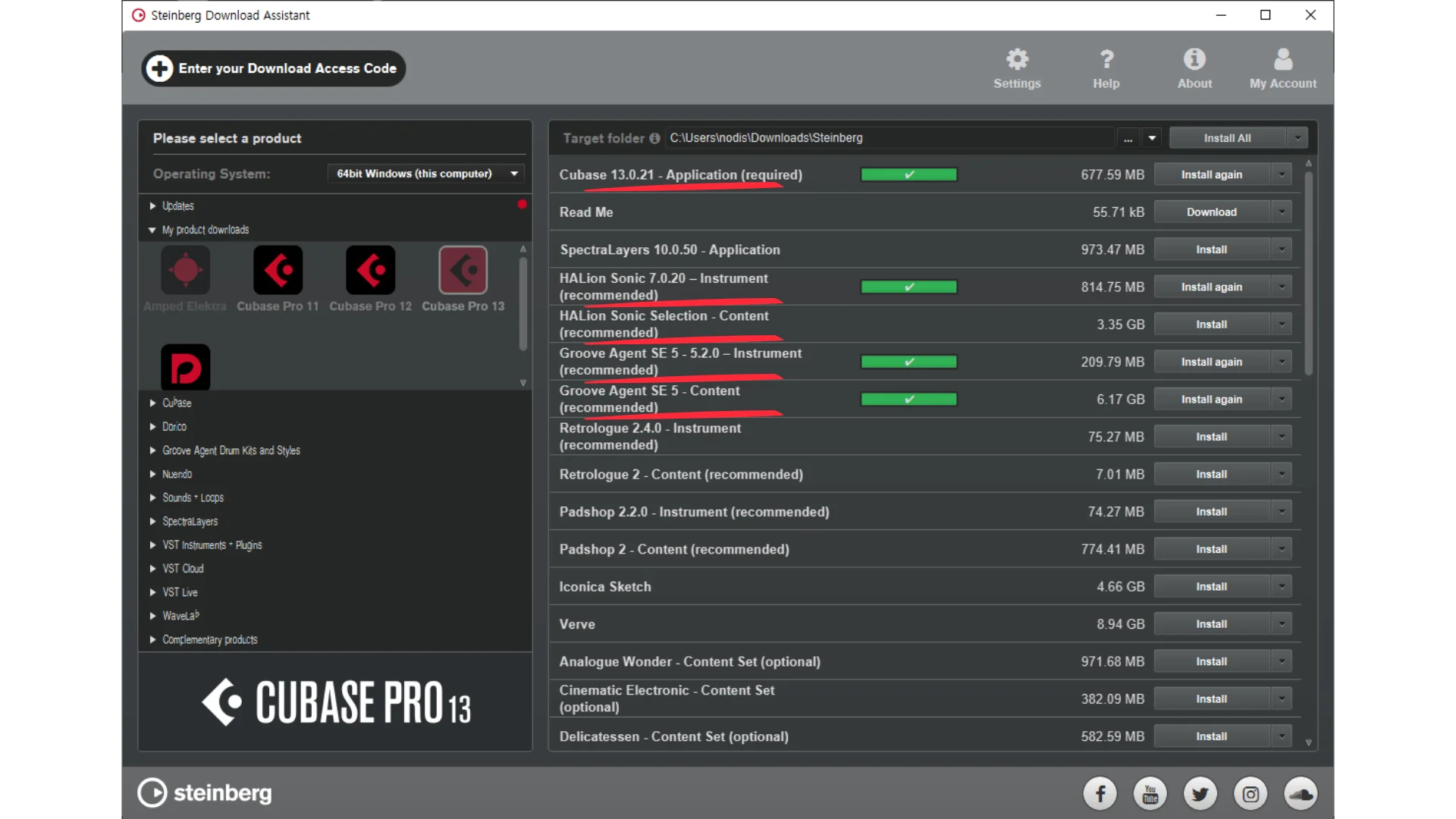
The first item listed as Cubase 13.X.XX must be installed. The items I've highlighted in red and those marked as (recommend) are plugins that can be quite useful, so I recommend installing them as well. I'll be posting guides on how to use the highlighted plugins in the future 👍
Steinberg Activation Manager
Next, install and launch the Steinberg Activation Manager, which is required to activate your Cubase license. Steinberg Activation Manager
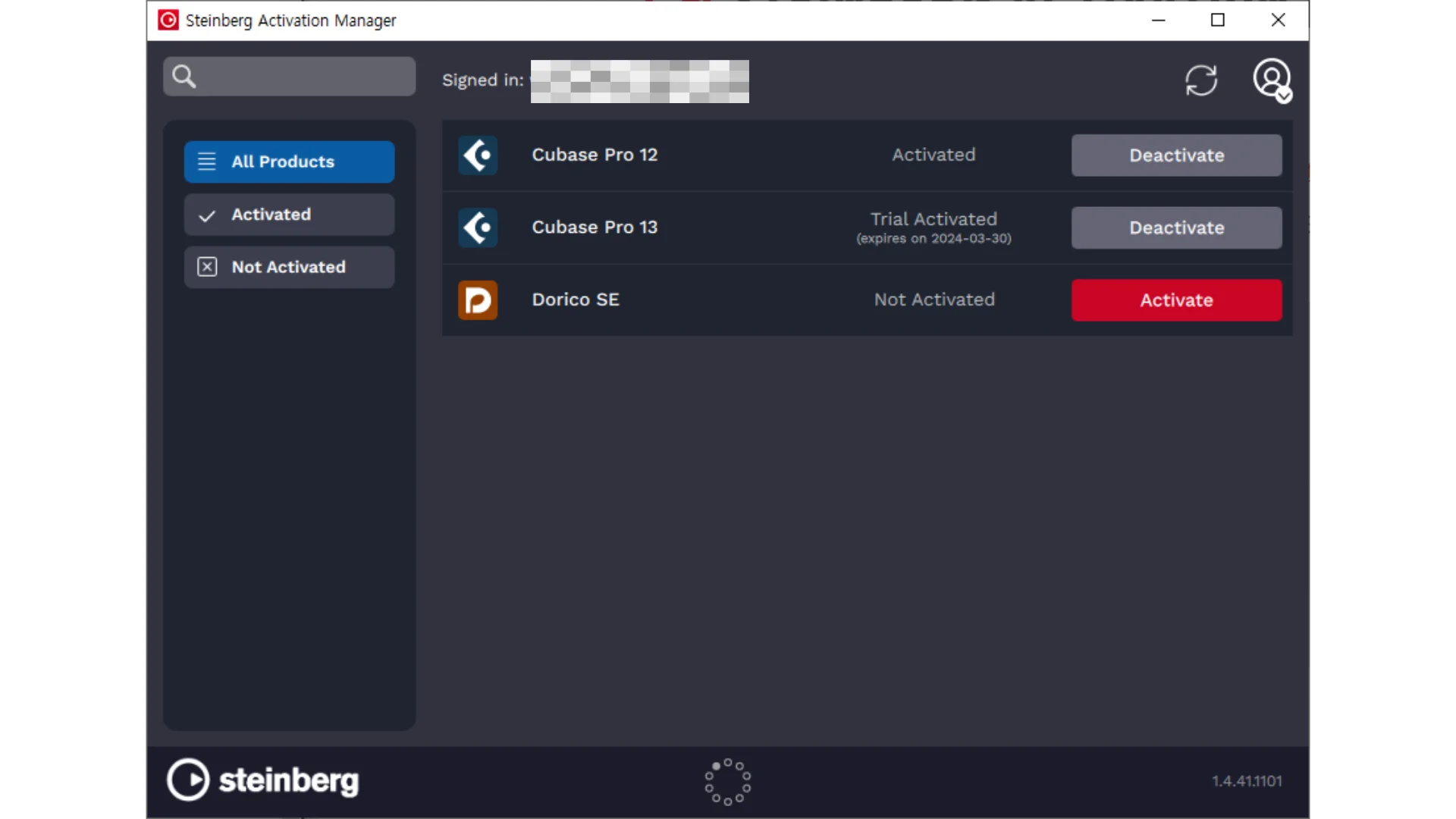
Log in with the same account, then click Activate to the right of Cubase Pro 13 (or Artist, Elements, etc.) to activate your license. In the screenshot, the license is already activated, which is why the button is shown as Deactivate.
And that wraps up the process of purchasing and installing Cubase. If anything doesn't work as expected or if you have any questions, feel free to leave a comment! Thank you 😀